Creating Service Request Via Email. This process involves applying SR based on specific keywords etc. Also needs basic knowledge of process builder.
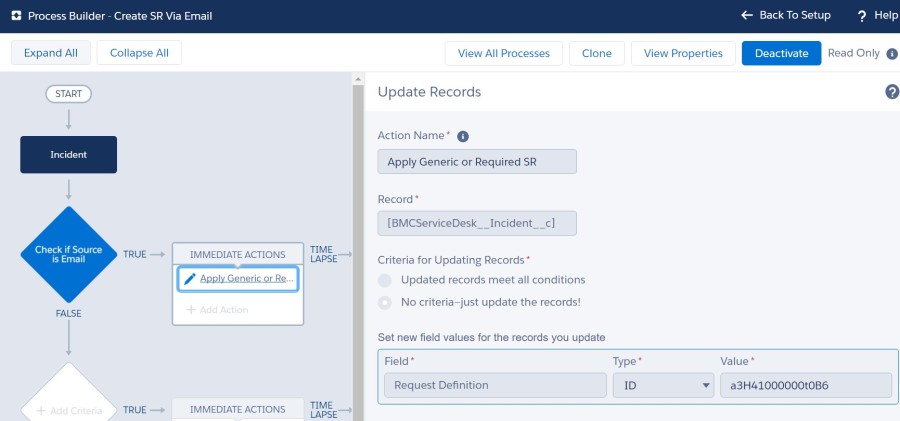
- Find our service request id from . You can add tab for Request definition or run report. We need ID.
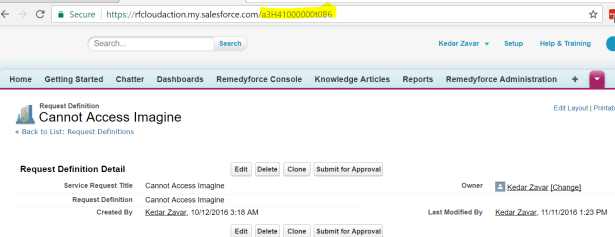
2 Set up > Process Builder > Create Process flow based on criteria
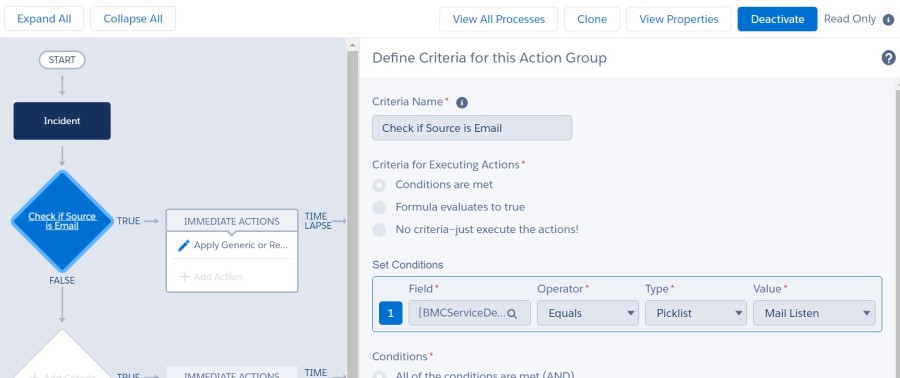
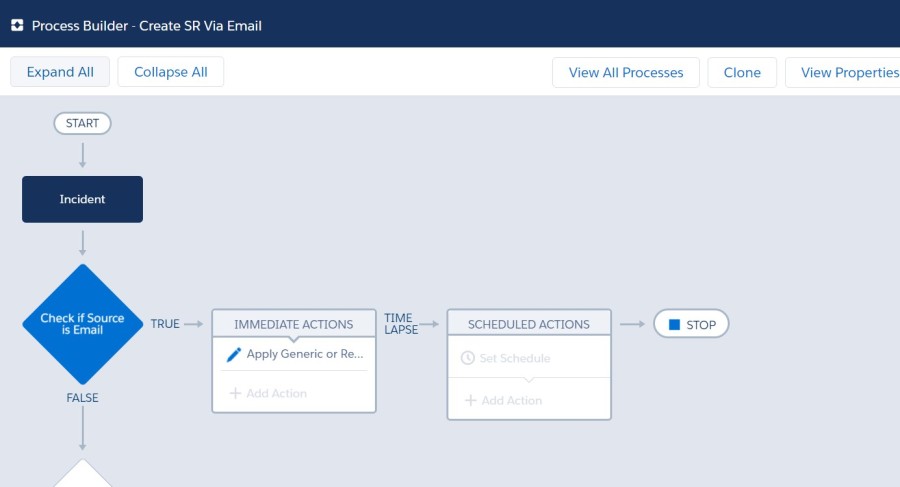
If you would like to convert only specific emails, Capture from address of incoming email – store it in custom field and use that.
You can fine tune criteria based on your needs
3. Apply SR as Action
4. Test by Sending an email
Once SR is created staff can populate input fields from description and SAVE
Try on sandbox first 🙂

 All About BMC Remedyforce
What is the use of a blank SR created this way ? Is it possible to read any data from email into SR fields ? Thanks
LikeLike
No – not without custom code. Staff can read data from email and input. Then Save. works great
LikeLike
No – only standard Incident fields
LikeLike